3D Product Configurator
Configure in 3D. Buy what you see.
Let shoppers customize materials, parts, and options in real time while every visual state stays locked to a valid SKU, price, inventory, and cart.
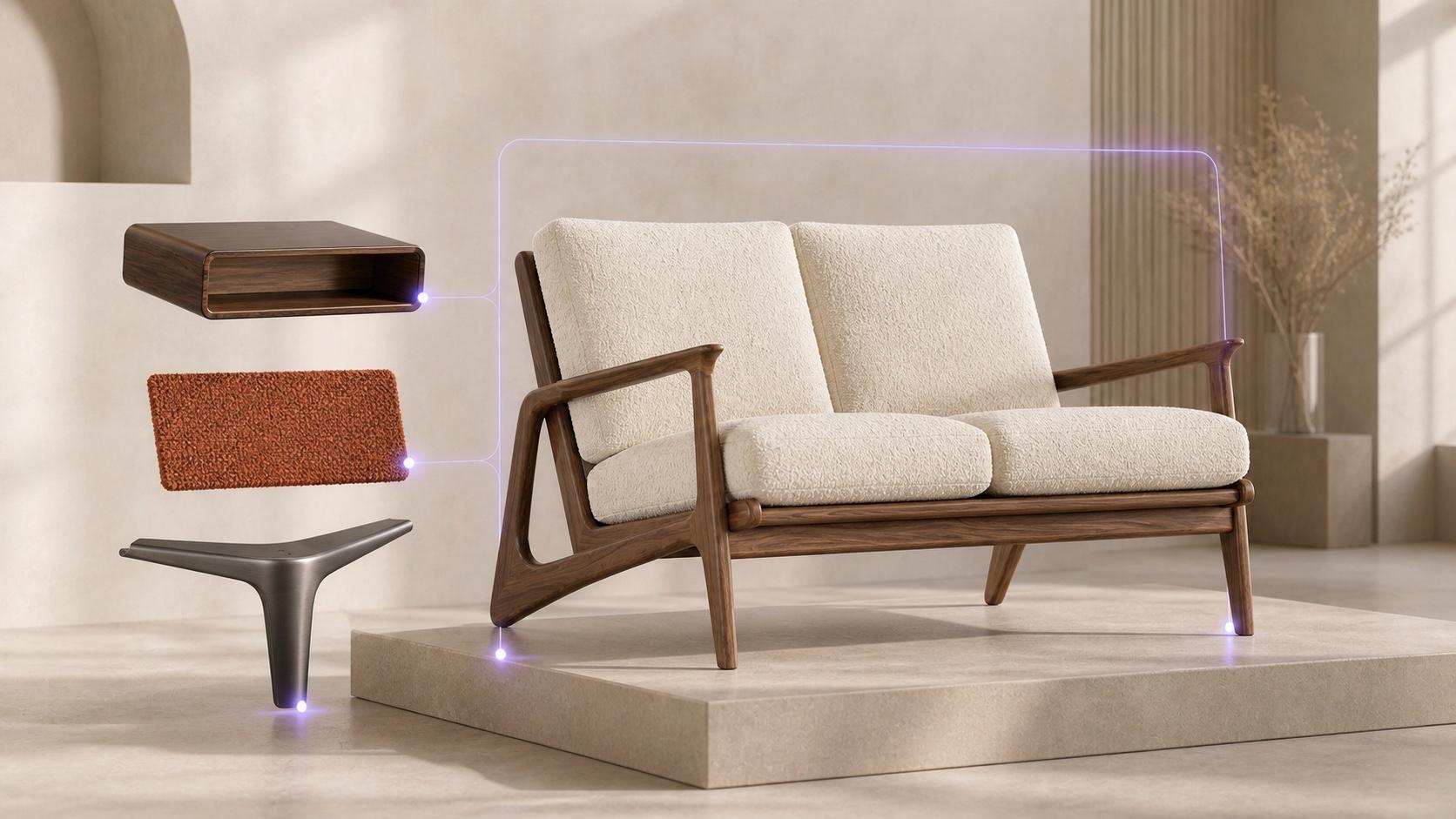
The 3D Disconnect
A 3D viewer shows the product. A 3D configurator sells it.
Traditional 3D viewers let shoppers orbit a model without tying the visuals to a sellable commerce state.
Standard 3D Viewer
Without CubeCom
Material swaps look impressive in the browser, but the cart still guesses a default SKU. Unfulfillable visual combinations slip through, leading to customer disappointment at checkout.
Visual Commerce Stage
With CubeCom
Every material swap and geometry change resolves through the configuration engine. What the shopper sees is guaranteed to match the exact SKU, price, and inventory passed to checkout.
Visual Architecture
Interactive 3D geometry backed by singular rules truth.
Render real-time materials and modular dimensions while maintaining strict commerce synchronization.
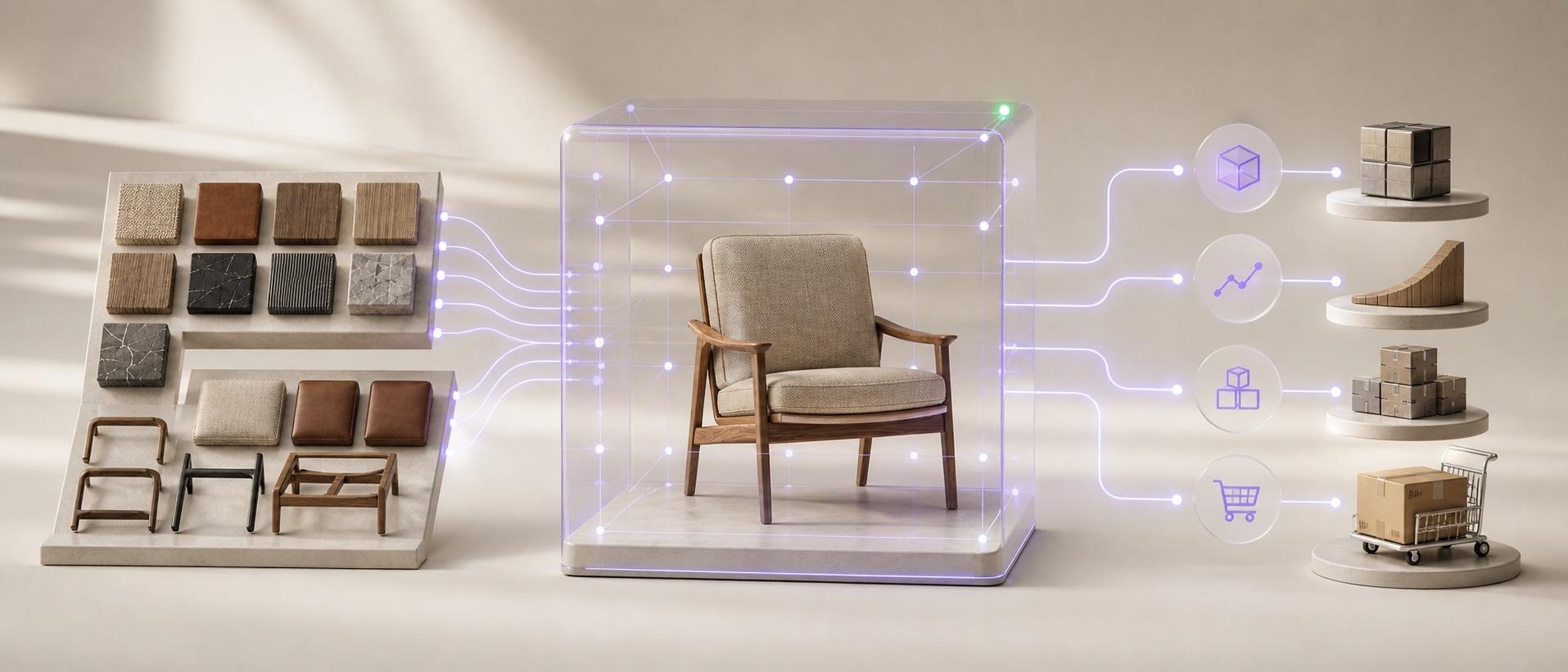
Core Transformation
From visual customization to guaranteed commerce handoff.
CubeCom connects WebGL shader state directly to rules resolution and line item projection.
01
Visual Choice
Shoppers customize materials, colors, and parts directly in the 3D scene.
02
Valid Scene State
Rules engine verifies legal combinations and blocks unmanufacturable looks in-scene.
03
Commerce Lock
The scene state projects to an exact purchasable line item SKU, price, and inventory.
3D Engine Capabilities
Engineered for high-fidelity visual commerce.
Deliver fast, interactive 3D experiences across mobile and desktop without sacrificing catalog precision.
01
REAL-TIME PBR
Real-time materials and finishes
Photoreal lighting, physically-based shaders, and accurate microtextures update instantly with zero reload latency.
02
GEOMETRY & PARTS
Dynamic modular assembly
Swap legs, add modules, or alter spatial dimensions while maintaining geometric constraint integrity.
03
RULE ENFORCEMENT
In-scene invalid combination blocking
Combinations you cannot manufacture are blocked before they render as an unfulfillable commercial promise.
04
COMMERCE ALIGNMENT
Visual state equals cart state
Every visual state resolves directly to SKU, price tier, and inventory. What shoppers see is what they buy.
Interactive Proof
Test real-time 3D state synchronization.
Switch upholstery and wood finishes in the live WebGL scene below — notice how the SKU, price, and inventory update deterministically.
Business Outcomes
The impact of verified 3D visual commerce.
Improve customer certainty and eliminate custom manufacturing errors.
PURCHASE CERTAINTY
Eliminate visual-to-cart disconnect
Shoppers inspect every detail in 3D, knowing the exact configuration in the viewer is the physical item shipped.
OPERATIONAL CLARITY
Prevent unfulfillable custom orders
Rules engine guardrails prevent shoppers from assembling combinations your manufacturing line cannot produce.
UNIFIED ASSETS
One 3D model across all surfaces
Reuse the same 3D assets for interactive PDPs, spatial room placement, and headless visual commerce applications.
3D is one surface. The underlying rules and commerce state come from the Product Configurator.
Product Configurator3D product configurator FAQ
For teams evaluating a sellable 3D buying experience — not a standalone WebGL viewer.
Book a solution sessionWhat is a 3D product configurator for ecommerce?
An interactive buying experience where shoppers change materials, parts, and options in 3D — and every visual state stays sellable. In CubeCom Pro, scene state stays synchronized with SKU, price, inventory, and cart.
How is this different from a WebGL product viewer?
A viewer shows a model. A configurator blocks invalid looks, updates the scene from real configuration state, and hands a matching commerce identity to cart — not a decorative orbit.
Can invalid option combinations be blocked in 3D?
Yes. Invalid visual combinations are blocked before they become a look shoppers think they can buy.
Does the 3D configuration match what goes into the cart?
That is the requirement. Commerce resolve follows the scene state so checkout matches what they configured.
How does this relate to the Product Configurator page?
3D is one surface. Rules, dependencies, and commerce resolution come from the Product Configurator engine. This page is the visual buying experience powered by that engine.
Where should we start?
Open the live sofa demo to feel the visual-to-commerce loop, then book a session with one product family you want shoppers to configure in 3D.
Make your 3D experience sellable.
Book a solution session with one SKU family, or keep exploring the live sofa.