Furniture
3D Furniture Configurator for Ecommerce
Configure sofas, sectionals, chairs, tables, and case goods in 3D — with fabric rules, dimensions, and combinations that stay sellable.
Industry problem
Furniture variation without catalog explosion.
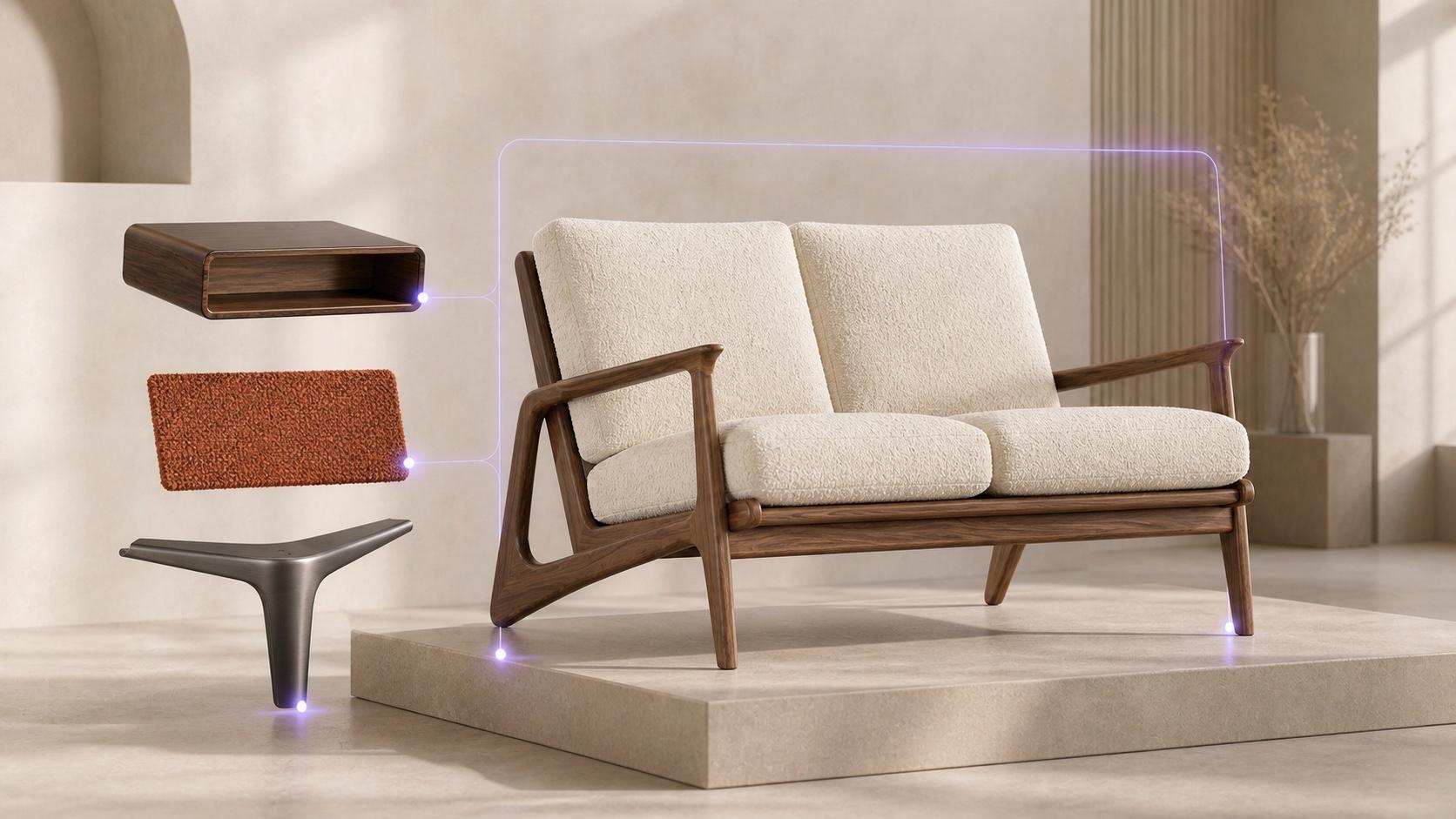
Every fabric × frame × leg combination does not need a photoshoot — and invalid looks should never reach the PDP.
Catalog photography
Without CubeCom
Every fabric × frame × leg combination becomes a photoshoot. Invalid looks reach the PDP before ops can stop them. Showroom quotes and web PDPs disagree on what is sellable.
Configuration infrastructure
With CubeCom
Legal looks render from materials and models. Constraints block incompatible combinations before cart. Shareable state keeps showroom and web on one graph.
Category depth
Furniture catalogs explode. Photography does not scale.
Configure frame, fabric, and legs on a real sofa. Legal looks resolve to SKU, price, and inventory — without photographing every combination.
84″ W · 36″ D · 33″ H
Active constraint
All current options are compatible.
Resolved state
Synced- SKU
- SOFA-WAL-BEI-BRA
- Price
- $2,399
- Inventory
- 4 in stock
Configuration flow
Structure → materials → sellable state.
CubeCom is not a sofa viewer. It is configuration infrastructure for furniture brands that need every valid look to remain a fulfillable commerce state.
01
Choose structure
Frame, size, or modular arrangement — invalid sizes never unlock incompatible finishes.
02
Choose materials
Fabrics and finishes update the scene and reprice only when the graph says the state is legal.
03
Resolve & share
SKU, price, and inventory update. Sales can reopen the same configuration from a link — including showroom follow-ups.
Product types
Upholstery, case goods, and fulfillment constraints.
The demo proves the loop on a sofa. Production catalogs need the same graph thinking across sectionals, chairs, tables, and case goods.
01
UPHOLSTERY
Sectionals and modular seating
Frames, fabrics, legs, and cushions with fabric compatibility and grade rules on one graph.
02
CASE & TABLES
Chairs, dining, and cabinets
Top/base combinations, finishes, and hardware options that stay manufacturable.
03
FULFILLMENT
Dimensions and ops constraints
Packaging limits, BOM hints, and custom-vs-stocked variants resolve with the look — not after checkout.
Surfaces & outcomes
AR and custom orders still start from the same graph.
AR placement and deep BOM/ERP sync vary by engagement. The product graph is designed so those surfaces consume the same configuration state.
AR SURFACE
Same configuration in room placement
AR on supported devices consumes the identical graph state shoppers and sales already resolved.
CUSTOM ORDERS
Custom still starts from a valid state
Deep BOM and ERP sync vary by engagement — the product graph is designed so those surfaces inherit sellable state.
CHANNEL PARITY
Showroom and web stay aligned
Shareable configuration identity keeps quotes, PDPs, and follow-ups on one commerce truth beside Shopify or composable checkout.
Furniture is one industry surface. The underlying rules and 3D model come from the Product Configurator and 3D Product Configurator.
3D product configuratorFurniture configurator FAQ
Still mapping your catalog, rules, or commerce path? Bring one product and we’ll show where CubeCom should sit.
Book a solution sessionIs CubeCom only for sofas?
No. Sofas are the live proof. The same model fits sectionals, chairs, tables, cabinets, modular systems, and other configurable hard goods.
Can salespeople share a configured sofa?
Yes. Shareable links restore the same graph state used for price and inventory — useful for showroom and remote selling.
How do you handle fabrics that are not available on every frame?
As constraints on the product graph. Incompatible combinations are blocked before they become a look or a cart line.
Do we need to photograph every combination?
No. That is the point of interactive configuration — show legal looks from materials and models instead of an infinite shoot list.
Put your furniture catalog on CubeCom.
Start with one hero SKU family and map rules to commerce.